Your Devices,
Anywhere.
Remote desktop, terminal, and file transfer for teams. Manage Windows, macOS, and Linux devices securely from your browser — with WebRTC P2P, end-to-end encryption, and zero-trust access.
14 days of Pro on us — full remote desktop, files, and recording. Or stay on the free plan; signing up never needs a card.
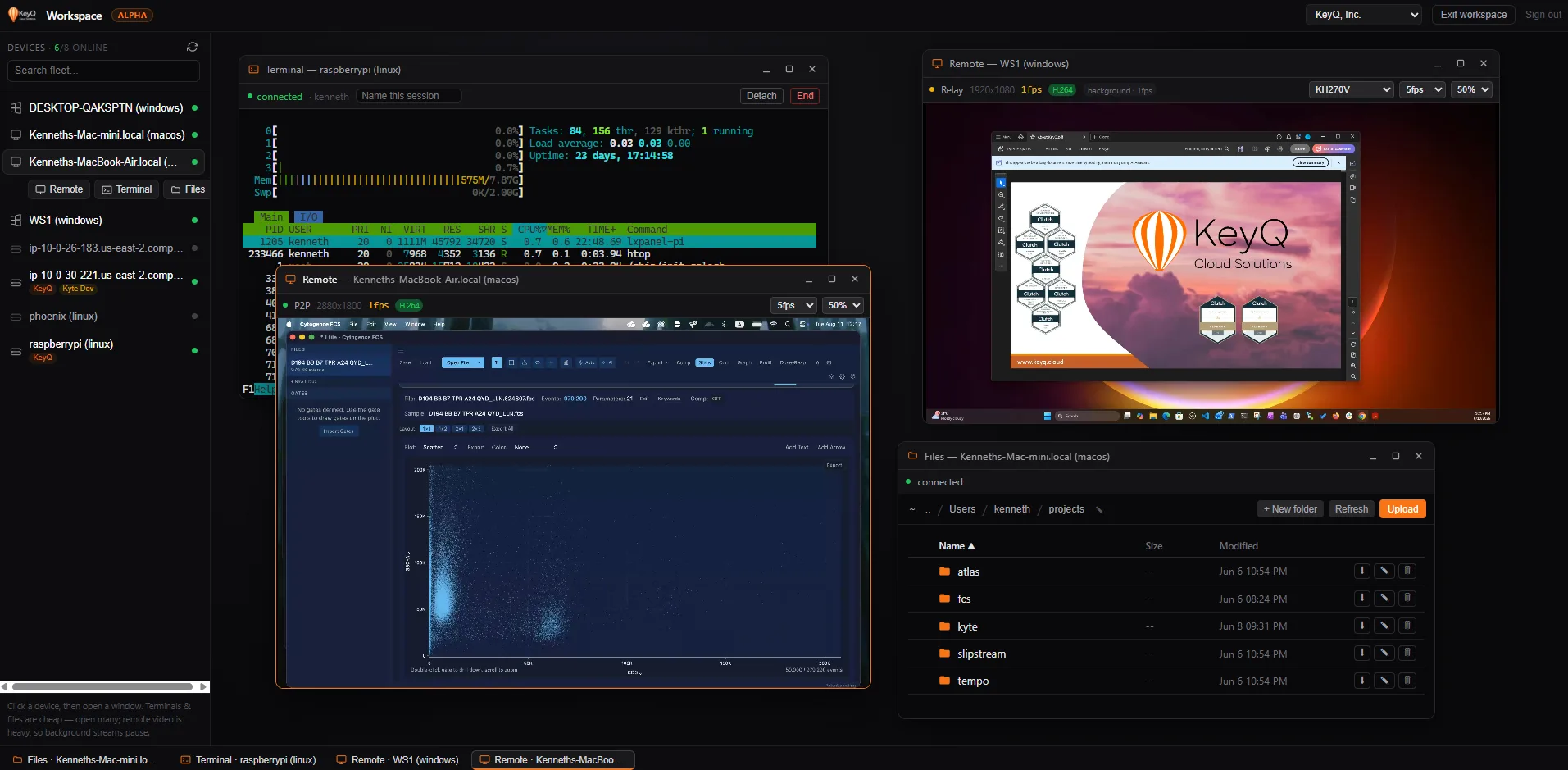
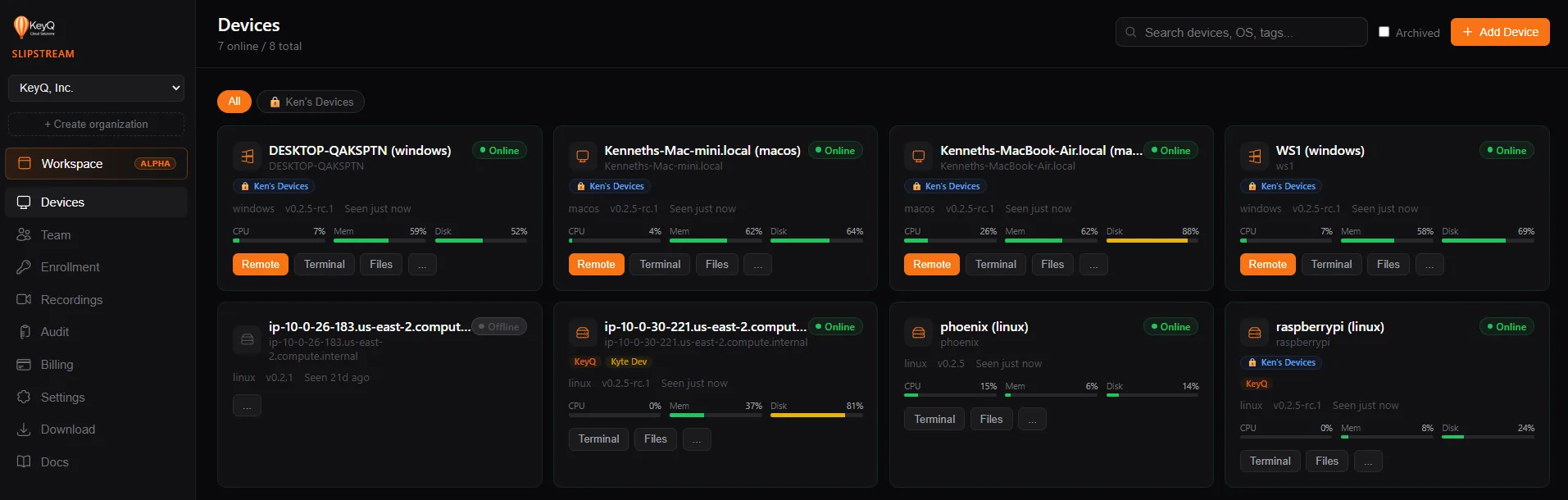
Your whole fleet, one pane of glass
One browser tab. Every machine you manage, live — and any number of them open side by side.
Everything you need to manage devices
One platform for remote access, terminal, files, and team collaboration.
Remote Desktop
See and control any device from your browser. WebRTC peer-to-peer streaming, with automatic relay fallback when a direct connection isn't available.
Terminal Access
Full SSH-like terminal in your browser. Manage headless servers, run commands, and debug remotely — no SSH keys needed.
File Transfer
Browse, download, and upload files on any device. Drag-and-drop uploads, chunked transfers, and directory navigation.
Guest Access
Share access instantly with session codes or links. Perfect for support — no account needed for the guest.
AI Agent Access (MCP)
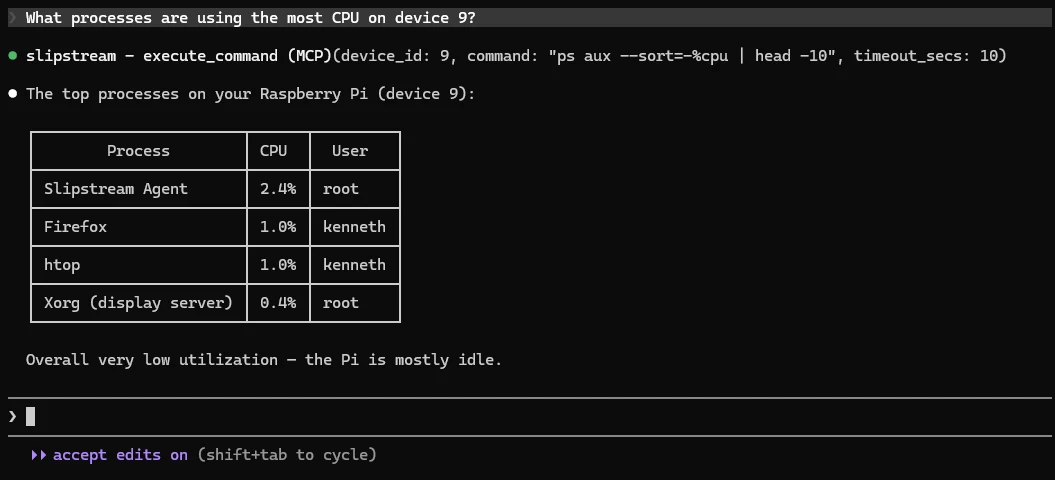
A built-in MCP server lets Claude, ChatGPT, Cursor, and Codex run commands, read screens, and move files across your fleet — with the same permissions and audit trail as a human.
Device Groups
Organize your fleet into groups and scope what each team or member can see. Tag devices, filter the dashboard, and keep production boxes out of the wrong hands.
Your AI assistant can drive it, too
Slipstream ships an MCP server, so Claude, ChatGPT, Cursor, and Codex can work your fleet directly — no glue code.
Built for teams that
take security seriously
Every action is logged, every connection is authenticated, and every session is auditable.
Two-Factor Authentication
Authenticator apps (TOTP) or SMS — your choice, and at least one is required. Enforced again on password changes.
Full Audit Trail
Every login, session, file transfer, and permission change is logged with IP addresses and timestamps.
Scoped Keys & Tokens
Long-lived, revocable device keys for agents, plus personal API tokens you can restrict to one org, a permission set, or read-only.
Team Roles & Visibility
Owner, admin, and member roles. Use device groups to decide which machines each team even sees.
Every platform. One tool.
Desktop app with system tray, headless agent for servers, and a web viewer that works everywhere.
Simple, transparent pricing
Pro is priced per seat, with five devices included for the whole organization.
Free
For individuals
- + 1 user
- + 1 device
- + Terminal access
- + 2 guest sessions/month
- + 30-day audit log
Remote desktop and file transfer are Pro features.
Get StartedPro
$12/user/mo billed annually — save 20%
- + Priced per seat — add teammates anytime
- + 5 devices included org-wide
- + $3/device/mo beyond the first 5
- + Remote desktop, terminal & file transfer
- + Session recording (30-day retention)
- + Download recordings
- + Unlimited guest sessions
- + 90-day audit log
- + Email support
Every member of your organization is a seat. New customers get 14 days free; a payment method is collected at checkout and billing starts when the trial ends.
Start Pro TrialEnterprise
For large organizations
- + Unlimited users & devices
- + Session recording (90-day retention)
- + SSO (SAML/OIDC)
- + White-labeling
- + 365-day audit log
- + Dedicated support
Ready to take control?
Start managing your devices in minutes. Creating an account is free and takes no card.